






Go to Windows platform Display platforms icon
Go to Windows platform Go to Mac platform Go to Android platform Go to iOS platform
Cyberlink PowerDirector icon

Cyberlink PowerDirector

24.0.1216.0
Dev Onboard
4.1 9 reviews
979.9 k downloads
security security

Edit video clips and create complete original DVD's

Advertisement
Remove ads and more with Turbo
Advertisement
Remove ads and more with Turbo
Álvaro Toledo icon
Reviewed by
Álvaro Toledo
Chief Content Officer
Álvaro Toledo is part of Uptodown's in-house Editorial Team. Translated by Uptodown Localization Team

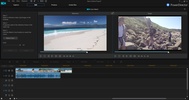
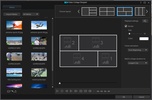
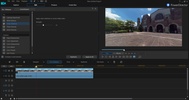
CyberLink PowerDirector is probably one of the best tool suites to edit videos that you can find. Basically, CyberLink PowerDirector is focused towards the production of CD´s and DVD´s in which it´s not necessary to have a navigation menu and a professional finish.

With the guarantee of CyberLink, PowerDirector presents itself as a great solution for advanced users and for those who want to start making their first steps in this kind of applications.

Advertisement
Remove ads and more with Turbo

The program allows us to edit and join video clips that we have saved on our computer; it also allows us to capture clips from different devices like the webcam, video and TV input, microphone or directly from a DVD.

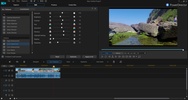
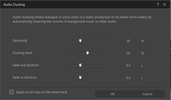
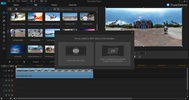
The posibilities of CyberLink PowerDirector are really wide. It allows us to apply filters, and effects to the different clips with which we will have worked on separately, add transitions between two fragments, insert objects and titles, add video tracks or voice entrances on off, etc.

Finally, to export the projects, CyberLink PowerDirector is capable of saving them into video files, as well as in sequences, DV-HDV tape or in the optimal format to upload them immediately to streaming video services as well as YouTube and Media Max.

Information about Cyberlink PowerDirector 24.0.1216.0

Basic information

Developer CyberLink
Category Edition
Rating All ages
Languages English
7 more

Distribution model

Pricing Trial
License Owner
Copyright © 2026 CyberLink
Why is this app published on Uptodown? (More information)

Security and privacy

Required permissions Not applicable
See security and antivirus report

Download info

Downloads 979,869
Date Dec 29, 2025
File type EXE
Size 6.83 MB
SHA256 9169203039b6fdc0648d4f87ecac9a8ed6a52a81899df6c060cde32792d6ae6e
Advertisement
Remove ads and more with Turbo

Older versions

See more
exe 23.6.1915.0 Jul 21, 2025
exe 23.3.1527.1 Apr 1, 2025
exe 23.0.1204.0 Dec 10, 2024
exe 365 23.0.1127.0 Dec 2, 2024
exe 365 23.0.1107.0 Nov 12, 2024
exe 365 23.0.0823.0 Sep 13, 2024
Available for other platforms

Rate this App

Review the app
Cyberlink PowerDirector icon

Rating

4.1
5
4
3
2
1
9 reviews

Comments

See more
grumpywhitemongoose81216 icon
grumpywhitemongoose81216
3 months ago

64 bits 64 bits 64 bits

Like
Reply
oldgreenconifer49042 icon
oldgreenconifer49042
in 2025

The program is for 64-bit, but not everyone has 64-bit.

4
Reply
freshpinkcedar84854 icon
freshpinkcedar84854
in 2022

The program is okay, but not great. A beginner will find it easy to understand, but at the same time, it has very few features.

5
Reply
bravebluepeacock15346 icon
bravebluepeacock15346
in 2019

I love it

13
Reply
laplagieuse icon
laplagieuse
in 2018

When purchasing, the price is not specified and it is mentioned that there is a monthly payment... I didn't understand anything (I don't want to pay for anything at the moment). What is the final purc...See more

39
Reply
Lenalee282 icon
Lenalee282
in 2010

a very useful program for editing videos

28
Reply
See more
Advertisement
Remove ads and more with Turbo
CapCut icon
Incredibly powerful and easy-to-use video editor
Adobe Premiere Pro icon
Video editing for professionals and beginners
Topaz Video AI icon
Edit your videos with the help of AI
Wondershare Filmora icon
Create and edit impressive videos in the easiest way possible
Clipchamp icon
Create stunning videos for YouTube, Instagram, and TikTok
HitPaw VikPea icon
The best automatic video enhancer to improve video quality
Adobe After Effects icon
The most advanced video-editing tool from Adobe
VEGAS Pro icon
Professional video editing accessible to all
CapCut icon
Incredibly powerful and easy-to-use video editor
Adobe Premiere Pro icon
Video editing for professionals and beginners
DaVinci Resolve icon
The most powerful and complete post-production video tool for PC
ComfyUI icon
Powerful visual engine for AI image generation
Topaz Video AI icon
Edit your videos with the help of AI
Gling icon
Edit videos with AI
Amuse icon
Generate visual content with AI locally
WaveSpeed icon
Generate images and videos with AI in seconds
Snap Camera icon
Add fun Snapchat filters to your PC camera
ManyCam icon
Take your live streams to the next level
Iriun Webcam icon
Use your smartphone as a PC webcam
Windows Camera icon
The official Windows Camera App
SplitCam icon
Broadcast live to all types of platforms
Leawo Free Screen Recorder icon
4-in-1 free recorder to record screen, webcam, audio & screenshot
IP Camera Viewer icon
Manage all your security cameras from a single app
iVCam icon
Use your smartphone as a webcam
CapCut icon
Incredibly powerful and easy-to-use video editor
HEVC Video Extensions from Device Manufacturer icon
Play HEVC (H.265) encoded videos on Windows
FormatFactory icon
Conversion between video, sound and image formats
Adobe After Effects icon
The most advanced video-editing tool from Adobe
Adobe Premiere Pro icon
Video editing for professionals and beginners
VLC Media Player icon
A powerful media player and streaming server
IPTV Stream Player icon
Complete IPTV content player for Windows
TikTok LIVE Studio icon
Stream live more easily and to more people